Have you ever wanted to build your own PC but felt overwhelmed by the endless parts, compatibility issues, and technical details? Construction software makes the process far easier, guiding you step by step so you can focus on creating a system that truly matches your needs.

1. What Is PC Construction Software?
PC construction software, often referred to as configuration or builder software, is a digital tool designed to simplify the complex process of assembling a computer. Instead of manually researching every component, you can use these platforms to explore compatible parts, visualize your design, and receive real-time feedback about your choices.
These tools act as a bridge between imagination and execution. Whether you want a budget-friendly office computer, a high-end gaming system, or a workstation for creative work, construction software provides structure and accuracy.
Popular options include PCPartPicker, widely praised for its extensive compatibility database; BuildMyPC, which provides a streamlined interface for beginners; and Micro Center's Custom PC Builder, useful for those who want to check in-store availability alongside online pricing. Each platform has its unique strengths, but all share a common goal: to help you build a PC more seamlessly than ever before.
2. Choosing the Right Construction Software
Not all construction software is created equal, and the right choice depends on your goals and experience. Several factors can help you decide which platform suits your needs best.
-
Database accuracy: The most effective software continuously updates its list of parts to ensure compatibility. Outdated databases may lead to purchasing errors.
-
Price tracking: Many platforms include real-time price comparisons across multiple retailers. This feature is crucial if you want to maximize performance while staying within budget.
-
Advanced features: Some tools focus on professionals, offering detailed performance estimates, power draw calculations, and thermal predictions. These are useful if you want precision in areas like workstation optimization.
-
Support and community: A strong user community or official customer support can make troubleshooting easier. Platforms with active forums often provide quick solutions and build recommendations.
For example, PCPartPicker excels in accuracy and compatibility checks, making it a favorite for experienced builders. BuildMyPC simplifies the process for beginners by reducing technical jargon. Newegg's Custom PC Builder appeals to budget-conscious users thanks to integrated discounts and bundles. Choosing the right software ultimately depends on whether you value simplicity, detail, or affordability.
3. Key Features of PC Construction Software
Once you select the platform, it is worth understanding the features that make these tools essential.
-
Compatibility checks: The most critical function is verifying whether your chosen CPU, motherboard, memory, and GPU work together. The software instantly flags incompatible combinations, saving you from costly mistakes.
-
Real-time price monitoring: By comparing prices across major retailers, construction software helps you secure the best deals without endless manual searches.
-
Performance predictions: Many platforms estimate how your build will perform in gaming benchmarks or professional software. This helps you gauge whether your system meets your intended use.
-
3D visualization and schematics: Some advanced tools offer renderings of your build, showing how components will fit inside a case. This visual aid is especially helpful for beginners.
-
Templates and presets: Pre-configured builds for gaming, office work, or design tasks offer a starting point. You can customize them further as you grow more confident.
These features collectively make construction software an indispensable companion for modern PC builders, whether they are enthusiasts or professionals.
4. Optimizing Your Build for Performance
Building a PC is not only about putting parts together; it is also about fine-tuning the system to achieve the best performance for your intended use. Construction software plays an essential role in this process.
First, balancing CPU and GPU is critical. For gamers, a high-performance graphics card should not be paired with a weak processor, as this causes bottlenecks. Conversely, professionals in video editing may prioritize a stronger CPU and more RAM over a top-tier GPU. Construction software helps analyze these trade-offs, ensuring that every component complements the others.
Second, RAM and storage speed significantly impact performance. Software tools recommend configurations that balance memory speed with motherboard limits and suggest solid-state drives (SSDs) for faster boot and load times. Without such guidance, beginners might underutilize their system's potential.
Cooling is another key factor. Overheating can damage components and reduce efficiency. Many platforms provide power consumption estimates and cooling requirements, which guide you toward appropriate fans, liquid cooling solutions, or power supplies.
For advanced users, some platforms even offer advice for overclocking, the process of running components at higher speeds than factory settings. These recommendations help maximize performance safely by highlighting cooling needs and power requirements.
Lastly, future-proofing ensures that your PC does not become outdated too quickly. Construction software suggests motherboards with expansion slots, CPUs compatible with next-generation upgrades, and cases that support larger components. By planning ahead, you save money and extend the life of your system.
5. Real-World Use Cases
The benefits of PC construction software are best understood through real-world scenarios:
-
Beginners: Imagine someone building their first PC for remote work. Instead of hours of confusing research, they use a beginner-friendly platform that provides compatible templates, automatically updates prices, and ensures that parts arrive ready to assemble.
-
Gamers: A gamer planning to play new releases at high frame rates can input their target performance goals into construction software. The platform suggests a GPU and CPU combination that matches the demand, preventing overspending on unnecessary parts.
-
Professionals: A video editor working with 4K footage needs fast rendering times. Construction software highlights the best CPUs with multiple cores, sufficient RAM, and storage solutions optimized for large files. The result is a workstation that saves hours in productivity.
-
IT Teams: Organizations often need multiple identical PCs for employees. Construction software allows IT staff to design a standardized build, verify compatibility at scale, and even calculate total costs across dozens of machines. This consistency reduces troubleshooting and ensures reliability.
These cases show how construction software adapts to different users, offering both accessibility for novices and precision for experts.
6. Challenges and Limitations
Despite its advantages, construction software is not flawless. Users should be aware of potential drawbacks:
-
Limited databases: Some platforms may not include niche or newly released parts, which can frustrate advanced users seeking cutting-edge hardware.
-
Outdated information: Compatibility data and prices must be continuously updated. If the platform lags, you may encounter errors or miss better deals elsewhere.
-
Over-reliance: Beginners might depend too heavily on automated recommendations without understanding the underlying technology. This can lead to systems optimized for short-term savings but lacking long-term balance.
-
Bias in suggestions: Some platforms are tied to specific retailers, potentially steering users toward sponsored products rather than the best overall options.
Awareness of these limitations helps you use construction software more responsibly, combining automated guidance with independent research and expert advice.
7. The Future of PC Construction Software
Looking ahead, PC construction software is set to become even more advanced. Several trends indicate the direction of this field:
-
AI-driven recommendations: Future platforms will likely use artificial intelligence to analyze your exact needs and budget, then deliver highly optimized builds tailored specifically for you.
-
AR and VR integration: Augmented and virtual reality could allow you to visualize your PC build in a 3D space, virtually placing components inside a case before purchasing them.
-
Collaborative tools: Cloud-based platforms may let communities or teams collaborate on builds in real time, making the process more social and interactive.
-
Sustainability focus: With growing environmental concerns, construction software may prioritize energy-efficient parts, recyclability, and sustainable supply chains, aligning PC building with eco-friendly practices.
These innovations suggest that building a PC will become increasingly seamless, immersive, and intelligent, pushing creativity and efficiency to new levels.
FAQs
Is PC construction software free?
Many platforms are free to use, though some offer premium features like detailed performance analytics or advanced visualization tools.
How accurate are performance predictions?
While predictions provide strong estimates, actual results may vary due to factors like cooling, background processes, or future software updates.
Can professionals rely on these tools for workstation builds?
Yes, many professionals use construction software to optimize workstation builds, though they often supplement recommendations with expert consultations.
Do these tools also recommend peripherals like monitors or keyboards?
Some platforms extend recommendations to peripherals, but their main focus remains core hardware components.
What happens if a part is discontinued?
Most construction software flags discontinued items and suggests suitable replacements, helping you avoid purchasing unavailable hardware.
Conclusion
Building a PC can feel intimidating, but construction software transforms it into an organized and stress-free process. By guiding you through compatibility checks, performance optimization, and cost comparisons, these tools ensure that your system reflects your exact needs. For beginners, they provide clarity and confidence. For professionals, they deliver precision and efficiency.
The future promises even greater innovation with AI, AR, and collaborative features on the horizon. With construction software at your side, the journey from idea to fully functioning PC is no longer daunting—it is seamless, empowering, and accessible to everyone.
Related Articles
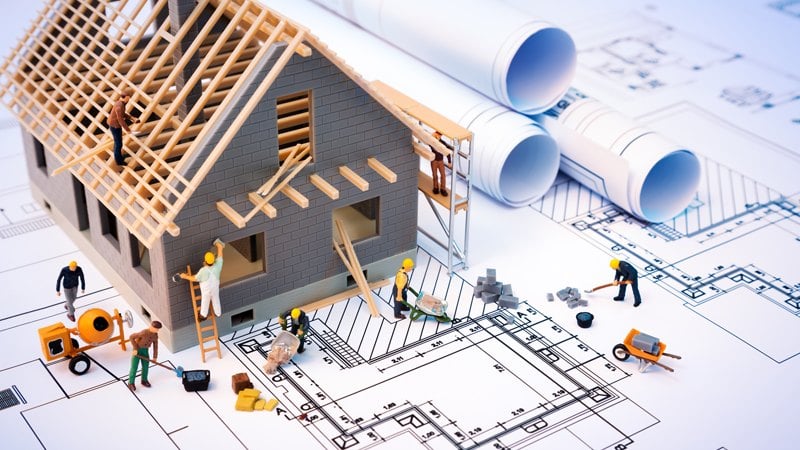
 Create your design using construction software
- The Ultimate Guide to Free Android Antivirus Software: Step By Step
- Your Guide to the Best Live Psychic Chat Experiences
- Master Time on the Move: Mobile Tracking Tools for Teams and Individuals
- Crea tu Propio Avatar 3D en Línea: Herramientas, Consejos y Plataformas




- Everything ElseCreate your design using construction software
- Everything ElseThe Ultimate Guide to Free Android Antivirus Software: Step By Step
- Everything ElseYour Guide to the Best Live Psychic Chat Experiences
- Everything ElseMaster Time on the Move: Mobile Tracking Tools for Teams and Individuals
- Everything ElseCrea tu Propio Avatar 3D en Línea: Herramientas, Consejos y Plataformas